Everything inside BI Adlytics
Money and profit, advertising, growth, inventory, automation, reporting, team access and data checks. Each part connects to the next, so a campaign's cost sits next to that product's real margin, stock level and return rate.
Know what you earn, and what Amazon owes you
Your whole account on one screen, before your first coffee
Today, yesterday, month to date and last month, with sales, ads and profit side by side, updating through the day.
- Total sales, units, average selling price, TACoS, net proceeds and returns
- Ad spend, ad sales, ACOS, CPC, CTR and conversion next to them
- Today's orders update live from Amazon's order feed
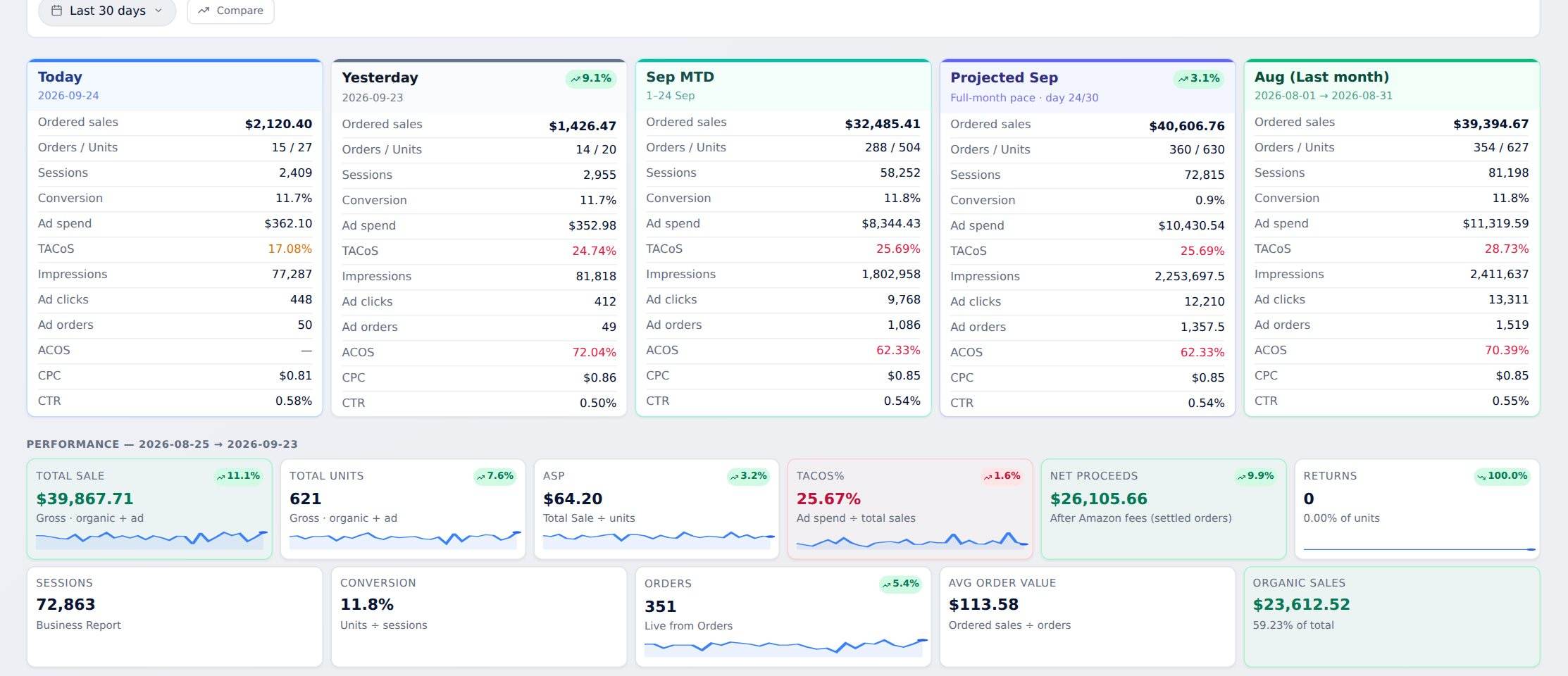 Today's orders, live
What each product really earns
Three views of profit and loss: the business overview, per-SKU economics and an order-by-order ledger.
- Fees, ad cost, refunds and net for every SKU
- Every order listed, including cancellations and refunds
- After referral fees, fulfilment, ads and returns, not before
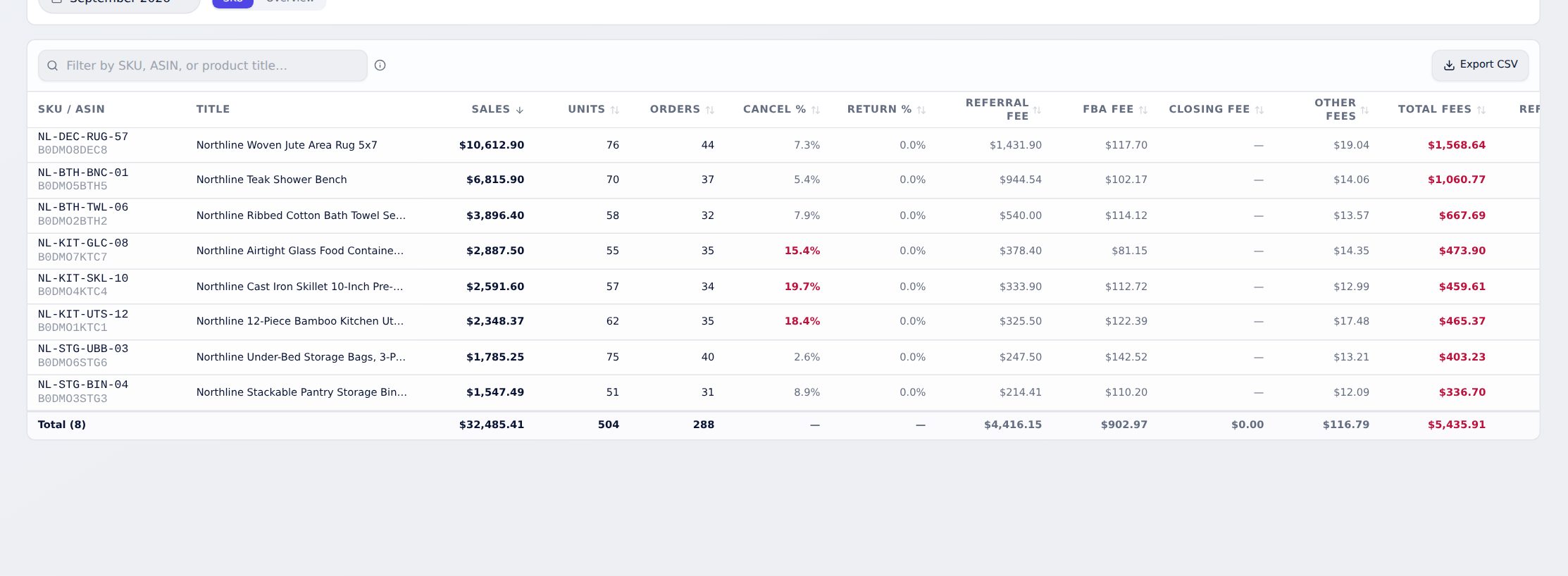 Every fee matched to the product
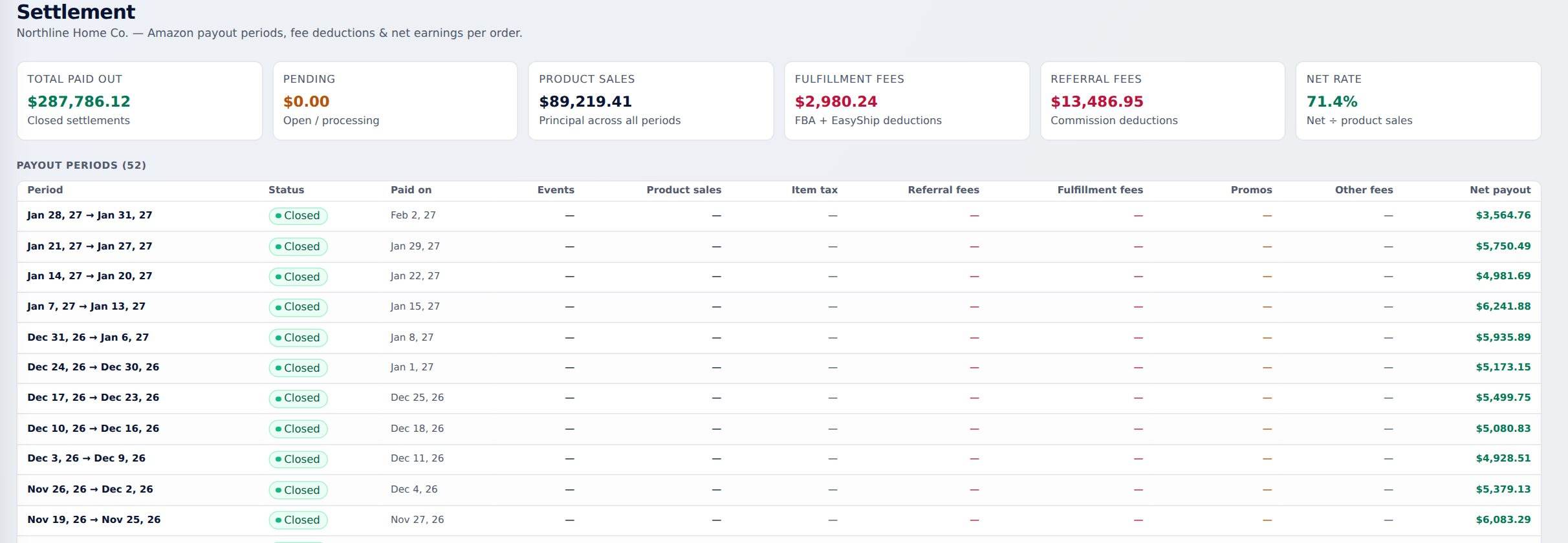
Every payout, matched
Each Amazon payout is matched to the orders, fees and refunds inside it.
- See the orders inside every payout
- See every fee and refund deducted from it
- Know exactly what Amazon paid you, and why
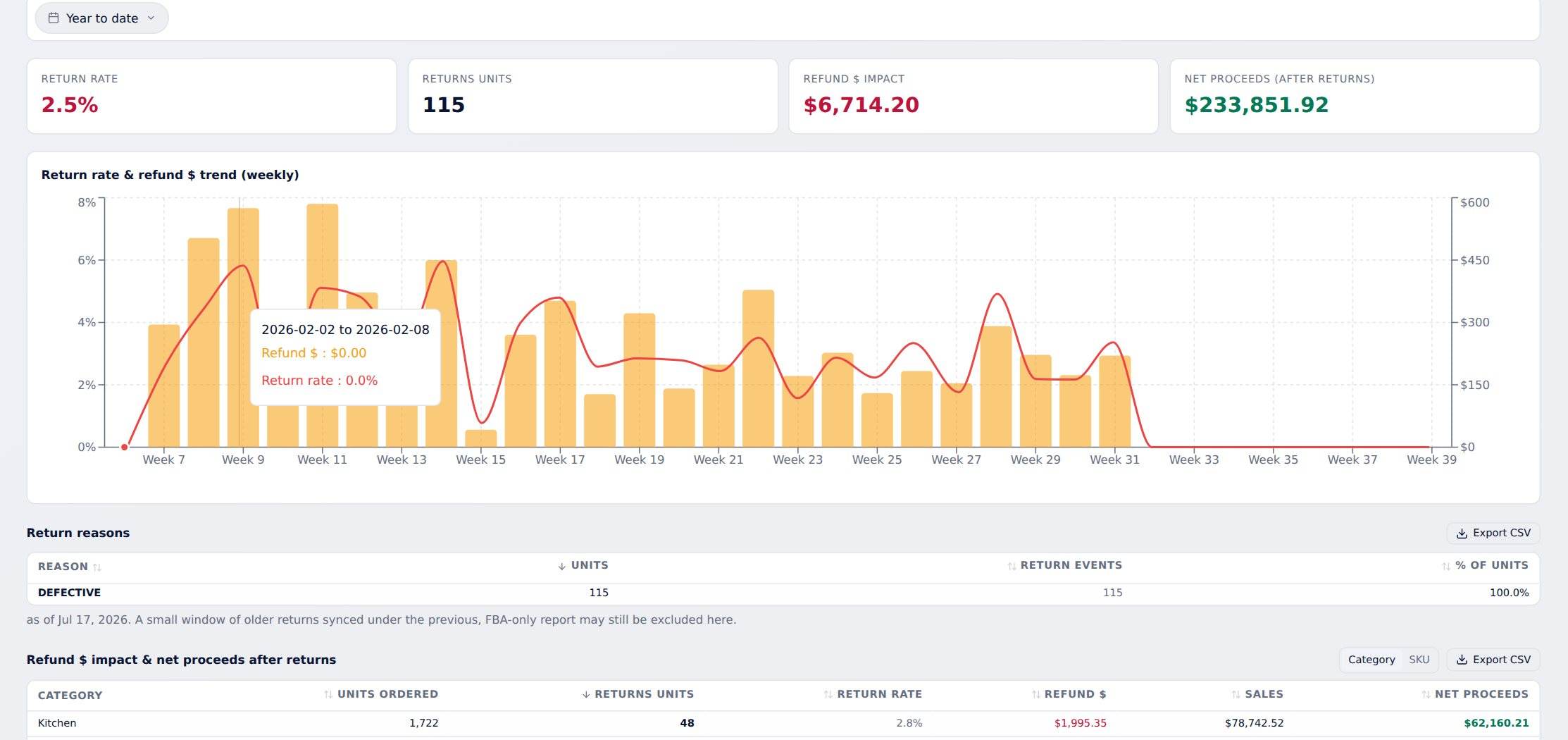
Know why products come back
Return reasons, return rate over time, refund value and the effect on net proceeds, cross-checked by product and reason.
- Return rate over time, by product
- Refund value and its effect on your net proceeds
- Fix the listing, size chart or packaging that's causing it
Get back what Amazon owes you
Finds lost, damaged and unreturned inventory and fee overcharges, and exports claims ready to file.
- Lost and damaged inventory
- Units returned but never put back into stock
- Fee overcharges, grouped into ready-to-file claims
Find what's wasting spend, then fix it in bulk
Every campaign, every ad type, one table
Every Sponsored Products, Sponsored Brands and Sponsored Display campaign with spend, sales, ACOS, ROAS, CPC, CTR and conversion.
- Daily, weekly or monthly
- Compare with the previous period in one click
- Sponsored Brands on Amazon's 14-day window, so totals match the console
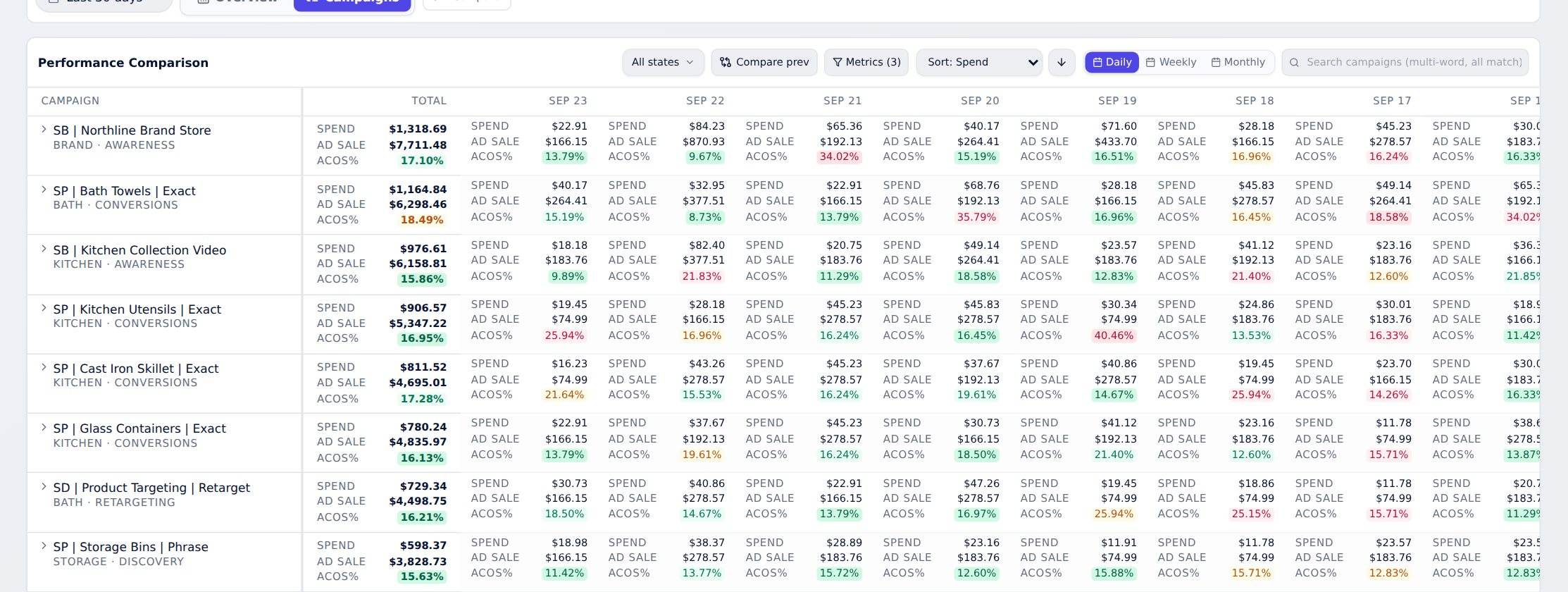 3 ad types, one table
An account audit in minutes, not a week
Account health broken down by targeting type, campaign type, placement and budget, with the findings listed for you.
- Spend and sales by targeting type
- Campaign type, placement and budget compared
- Findings listed, so you know where to start
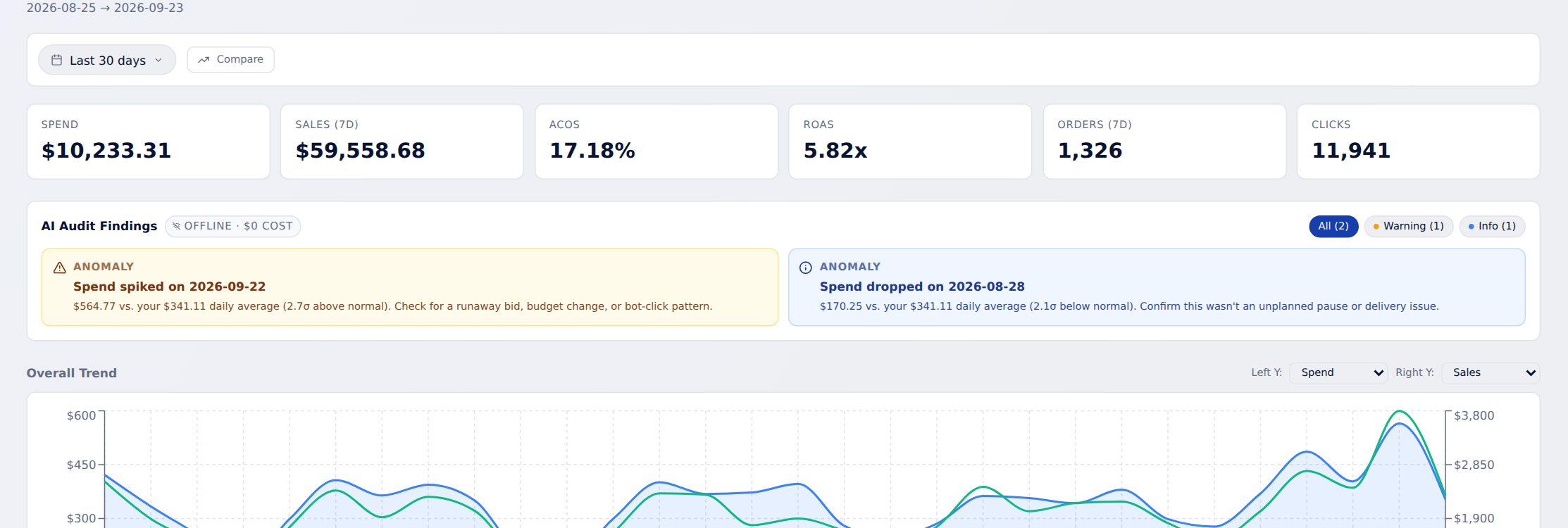
Hundreds of fixes. One upload.
Stage bid changes, pauses and negative keywords as you find them, then export them as one Amazon Bulksheet.
- Add changes from anywhere in the app
- Download one Bulksheet and upload it to Amazon
- Every change logged with who made it and when
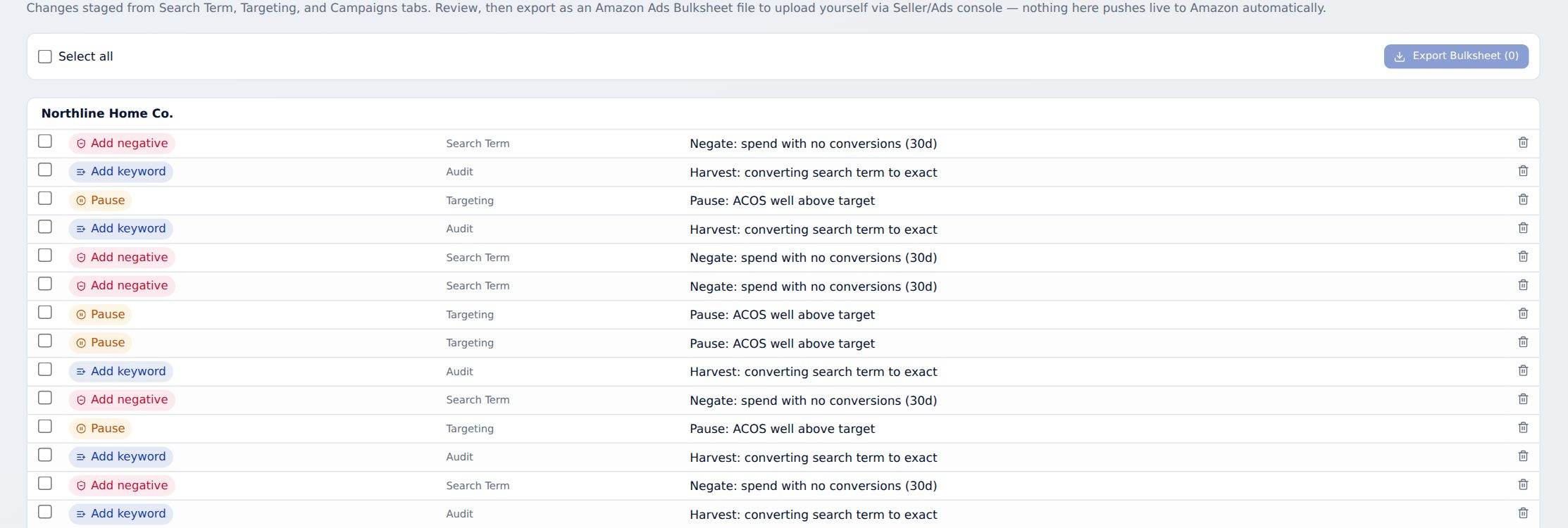 One Bulksheet for every change
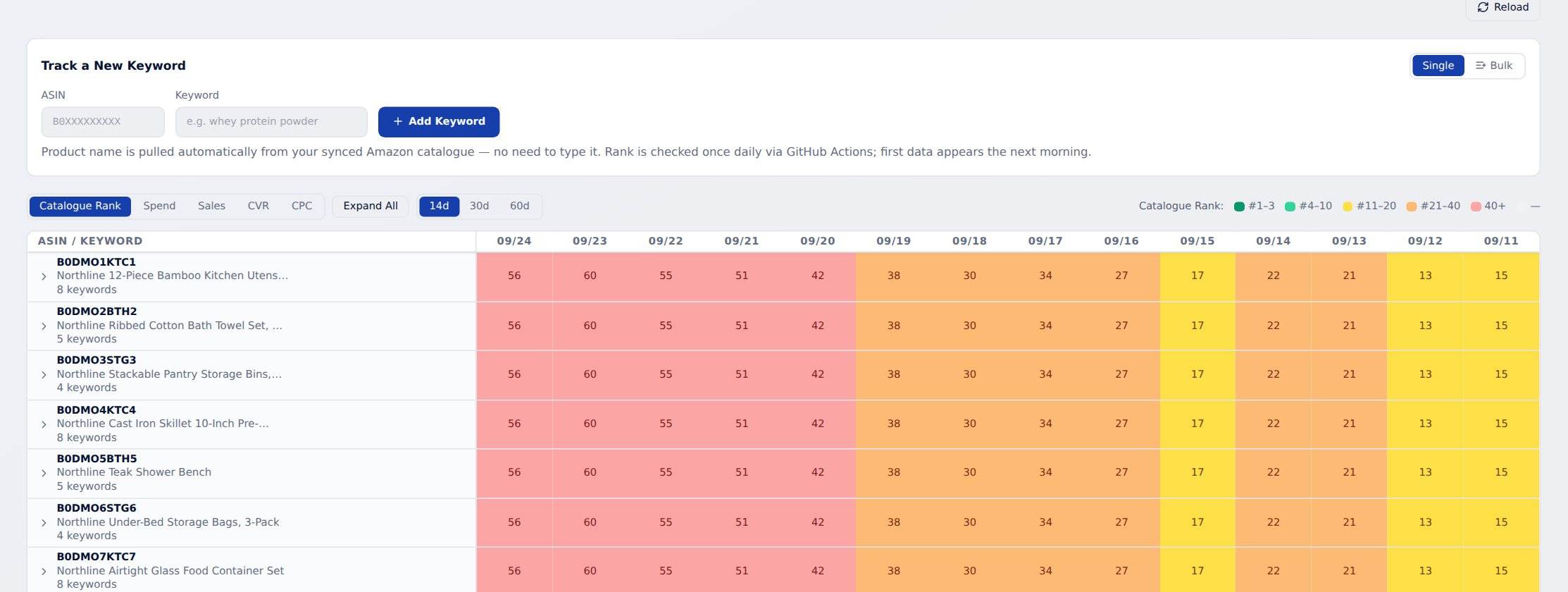
Know where you rank, and what it costs to stay there
Daily organic and sponsored position for every tracked keyword, next to that keyword's spend, sales, conversion and CPC.
- Organic and sponsored position, every day
- Spend, sales, conversion and CPC beside each keyword
- A slipping keyword is easy to spot
See which keywords and targets earn their spend
Keywords, match types and product targets with full performance.
- Every keyword and match type
- Product targets next to keywords
- Spend, sales and ACOS for each one
Find the searches that waste money, and the ones worth bidding on directly
What shoppers actually typed, grouped by match type.
- Word and phrase analysis in 1-, 2- and 3-word groups
- Negative-keyword candidates listed for you
- Add them to your pending bulk changes
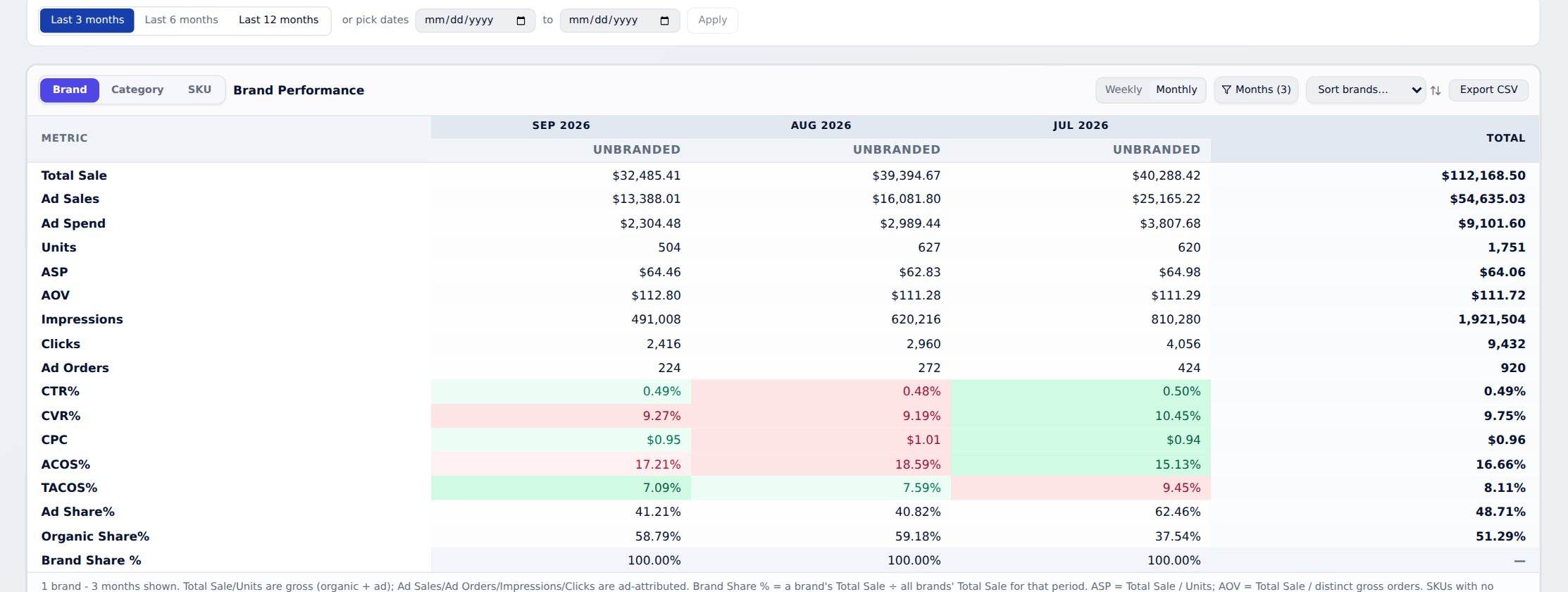
See which products are growing, and which are slipping
Which products and categories are growing, and which are slipping
Brand and account overview, plus SKU and category breakdowns by day, week or month against your targets.
- Brand and account overview
- SKU and category breakdowns
- Measured against the targets you set
Spot the products about to take off
Top movers, TACoS leaderboard, emerging products, efficiency and revenue concentration.
- Top movers and emerging products
- TACoS leaderboard
- See which products carry too much of your revenue
See your market the way Amazon sees it
Amazon Brand Analytics: ASIN and keyword performance, search query performance, what else your customers buy and repeat purchase rates.
- Search query performance
- What else your customers buy
- Repeat purchase rates
Know mid-month whether you'll hit the month
Weekly category performance against monthly targets you set.
- Targets set per category, per month
- Checked every week
- Set up from a simple CSV template
Know where your customers are
Orders by state, with warehouse and SKU shipment breakdown.
- Orders by state
- Shipments by warehouse
- Shipments by SKU
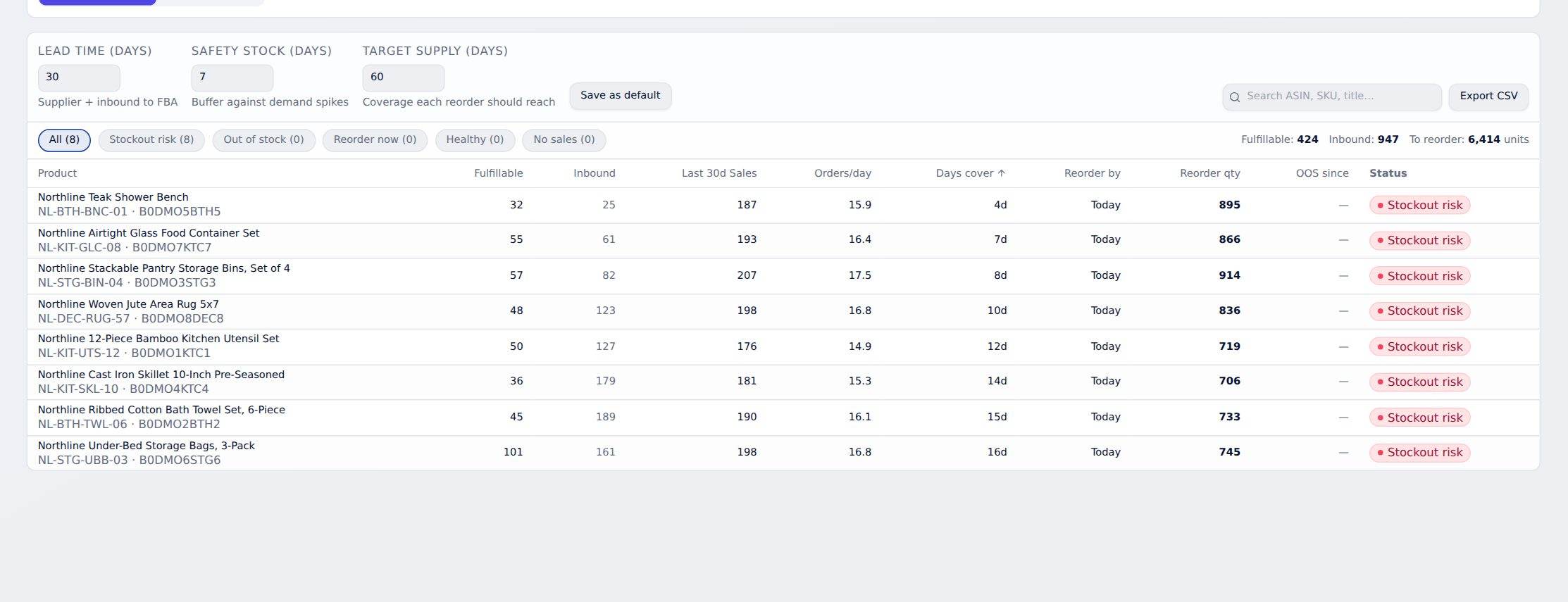
Reorder the right amount, at the right time
Reorder the right amount, at the right time
FBA restock quantities worked out from blended 7-, 30- and 60-day sales speed.
- A restock quantity for each SKU
- Based on 7-, 30- and 60-day sales speed together
- Stock sits next to ad spend, so you stop paying for clicks on products about to run out
Warned before you run out, not after
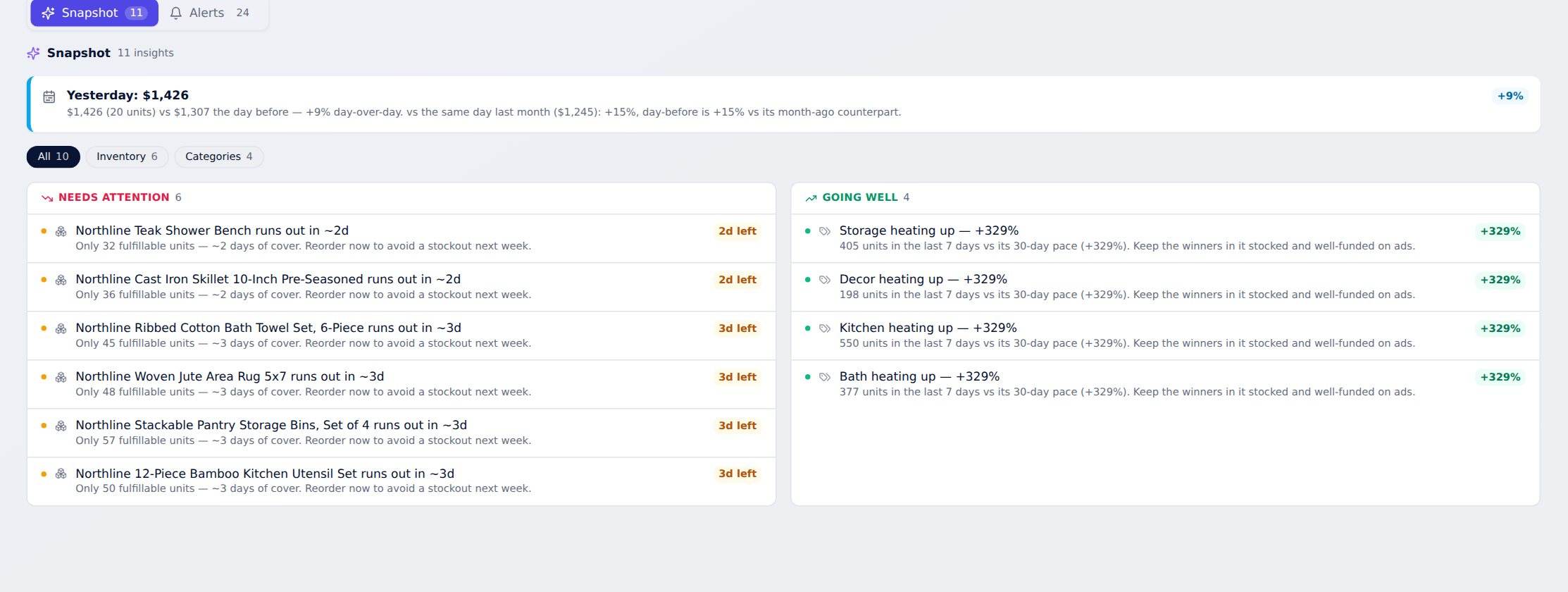
Stockout risk and unusual sales drops or spikes, measured against the 7-day average.
- Stockout risk flagged early
- Sales drops flagged against the 7-day average
- Sudden spikes flagged too
Your product groups and targets, set up in minutes
Category mapping and monthly targets from simple CSV templates.
- Map products to your own categories
- Set monthly targets per category
- Download the template, fill it in, upload it
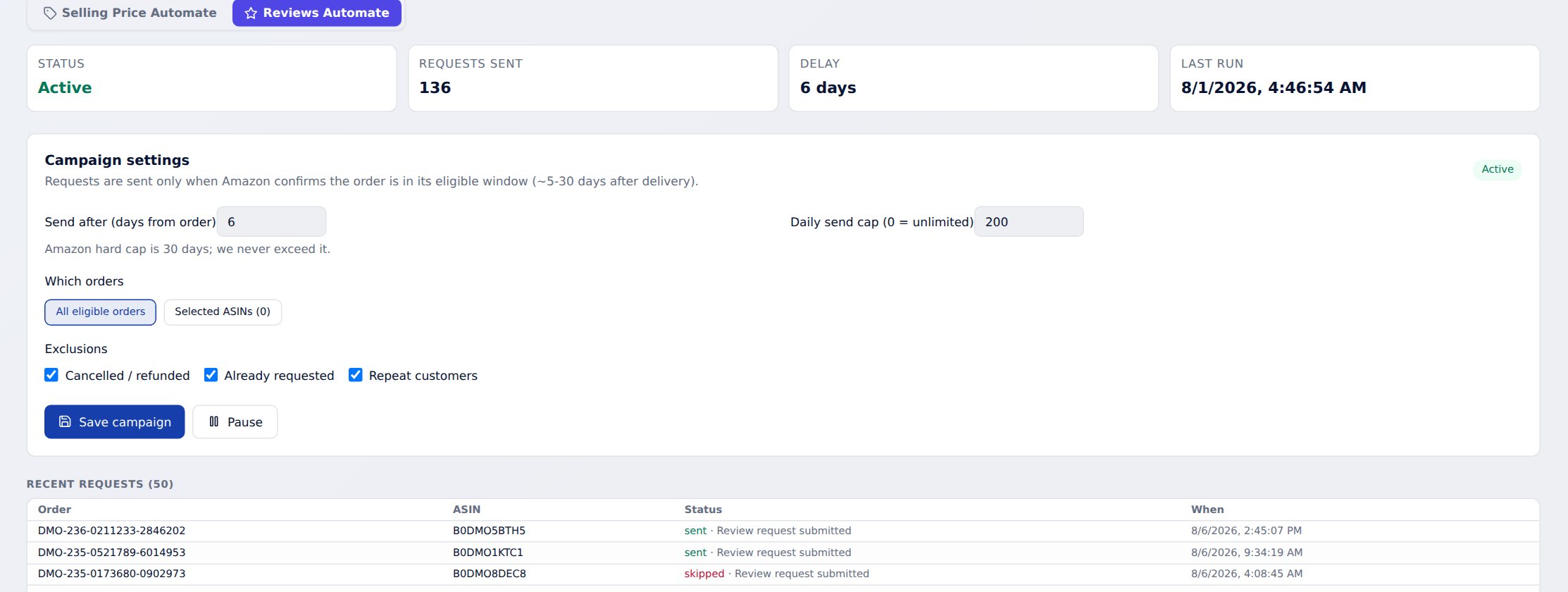
Price tests and review requests that run themselves
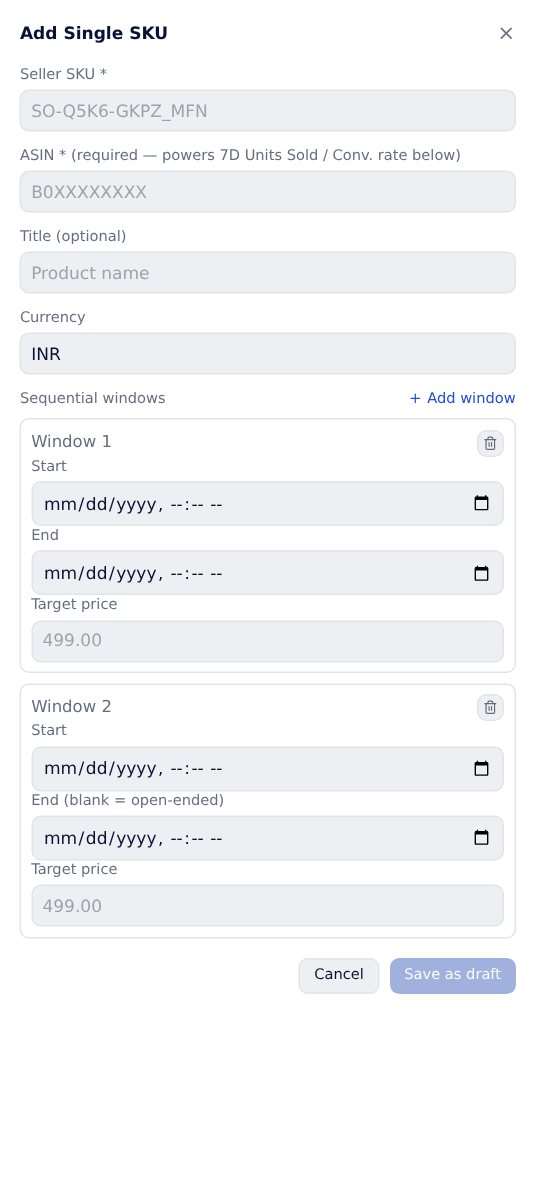
Price tests that run themselves. No console needed.
Plan selling-price windows per ASIN; changes apply on schedule, with suggestions and rules.
- Set a start date, end date and price per ASIN
- Changes apply on schedule
- Suggestions and rules to guide each change
More reviews, fully within Amazon's rules
Automatic “Request a Review” for eligible orders through Amazon's own approved channel.
- Runs on its own for every eligible order
- Up to 100 a month on Starter, 500 on Growth
- Unlimited on Scale and above
Reports you'd actually send
Yesterday, explained. Ready to send.
Compares yesterday with the day before, the same weekday last week, and month to date against the same days last month.
- Total sales, organic sales, TACoS, ad spend and sales, ACOS, ROAS, CPC, CTR and conversion
- A month-end projection, top movers and recommended actions
- Copy for WhatsApp or email in one click
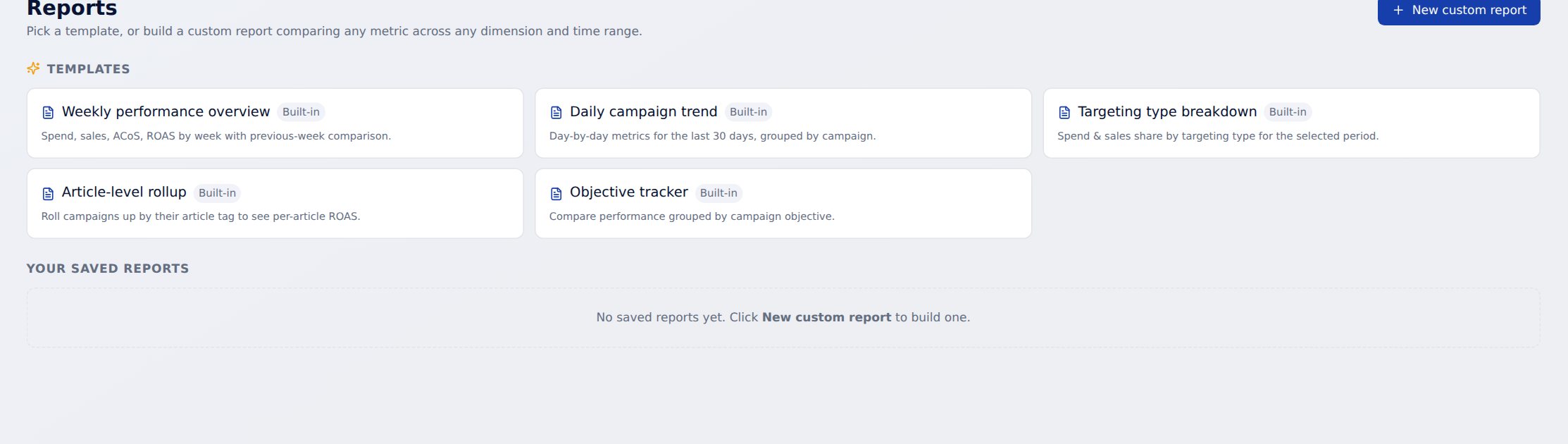
Build the report you actually need. Save it. Run it every week.
Pick from 15+ metrics, group by product, campaign or targeting type, and choose any date range.
- Templates to start from
- Save a report and rerun it any time
- Scheduled reports on Scale
Built for teams and agencies
Unlimited team members
Invite your whole team at no extra cost, on every plan.
Client logins with screen-level access
Give a client their own login and choose which screens they see, view-only or with editing.
Every account, one workspace
1, 3, 10, 20 or unlimited connected accounts by plan, and you switch between them from one workspace.
Change history on every bulk edit
Every bulk change records who made it and when.
Numbers you can check, access you control
Amazon's official, approved access
Connects to Amazon Ads and Amazon Selling Partner (Seller Central) through Amazon's own approval screens. No password sharing.
Data that keeps up
Ad data refreshes through the day, orders update live, and settlement and finance data arrive as Amazon releases them.
Numbers that match Amazon's console
Sponsored Brands is counted on Amazon's 14-day window, Sponsored Products and Display on 7 days.
Device verification
New devices are verified with a one-time code sent by email.
See it on your own numbers
Connect in minutes. Onboarding is included on every plan: we connect your account, set up your product categories and walk your team through it.
Get started See the live demo